


BlackBerry-Style Power Keyboard for Smartphones Unveiled
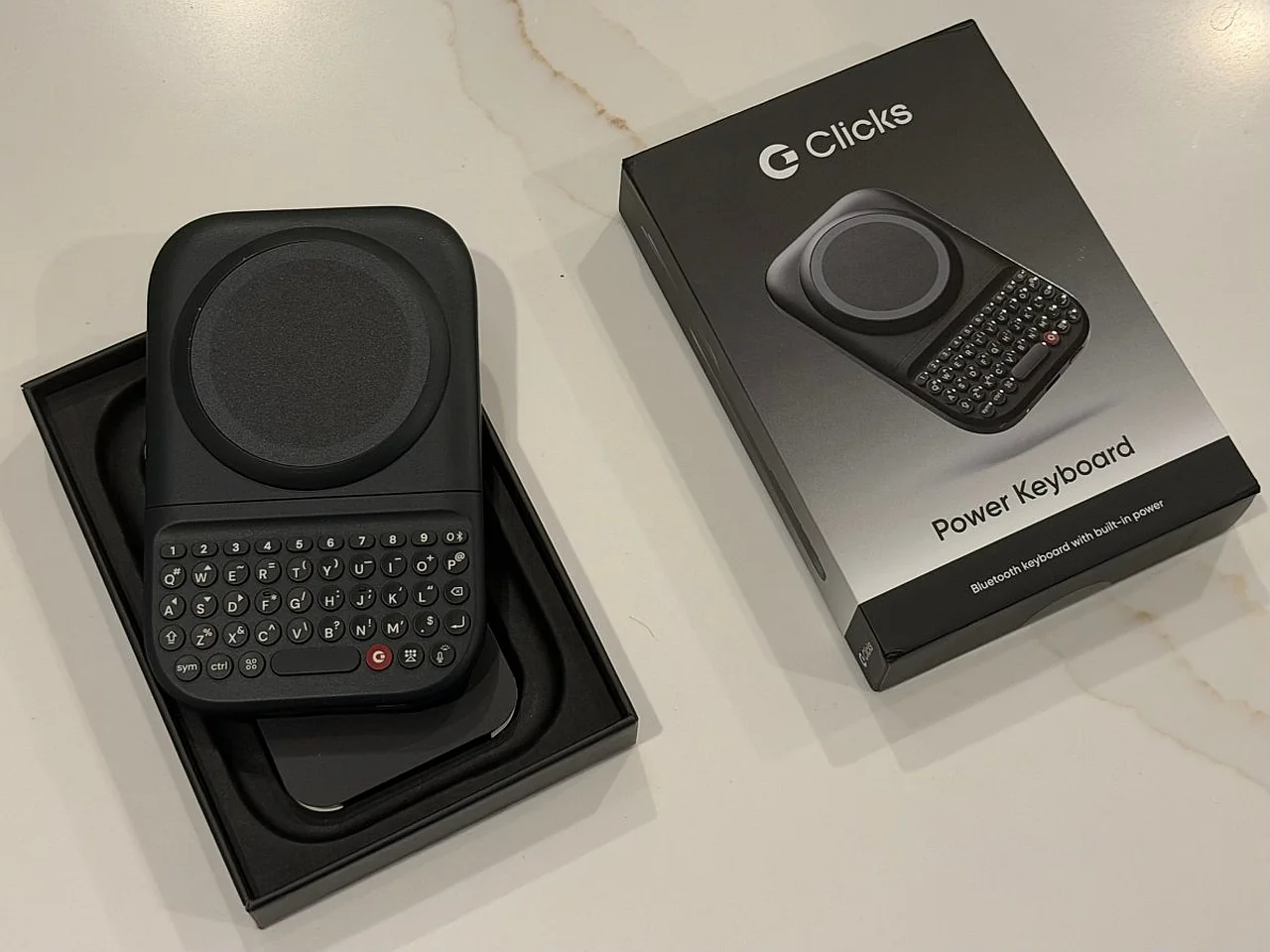
Clicks Technology, a company aiming to bring physical keyboards back to smartphones, has started shipping its MagSafe-compatible Power Keyboard. Priced at $99, the gadget began shipping to customers in summer after some delays, according to ixbt.com, and by last week, 75% of the first batch of preorders had been delivered to their owners. Techcrunch.com reports .
This new sliding keyboard with tactile keys can adapt to devices of different sizes and be used in portrait or landscape mode. The company says the device brings the legendary keyboard feel of BlackBerry devices back to any modern smartphone. It also serves as a kind of test for the first Clicks Communicator smartphone with a built-in physical keyboard, which Clicks is expected to introduce by the end of this year.
Key Features and Design
The Power Keyboard is intended to offer an alternative to on-screen keyboards for users who miss the typing speed and reliability of a small physical keyboard. However, according to ixbt.com, the current version faces the same issue as the company’s previous smartphone-case keyboard. In particular, it can make the smartphone top-heavy and harder to hold in portrait mode, especially when used with large models such as the iPhone 17 Pro Max or Pixel 10 XL.Nevertheless, the device itself is carefully crafted as a high-quality product and is sure to attract users who miss the BlackBerry style. The unboxing experience includes protective films to prevent scratches and a full-color quick-start guide, showing that it is packaged to a premium standard.
Connectivity and Usage
The device can be charged via USB-C, although it arrived at the tester’s location already charged. To connect it to a smartphone via Bluetooth, users must hold down the power button while sliding out the keyboard. During testing, it connected seamlessly to an Android device, but some difficulties arose when switching to an iPhone.According to the manual, adding a second Bluetooth device requires holding down the power button together with the number key. In practice, completely removing the device from memory can only be done using the Clicks mobile app. The keyboard attaches to the smartphone via MagSafe or Qi2; phones that do not support these technologies can use a special adhesive ring or a case with a magnetic profile.


Comments 0
…